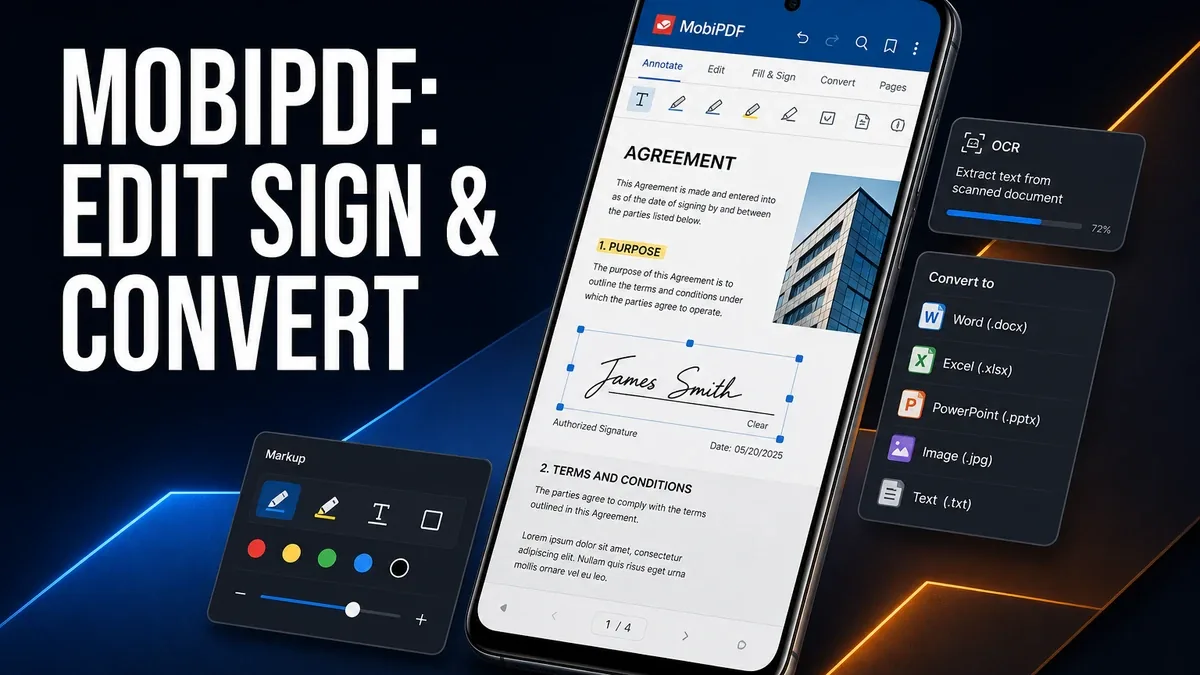
Scanner apps turn paper into files. PDF editors turn those files into something you can actually fill, sign, rearrange, convert, and send without restarting the document on a computer.
Download MobiPDF MOD APK - Unlocked
MobiPDF · PDF Editor · Sign Fill Convert · Document Workflow · Android 2026
The Real Question Is Capture vs Document Work
Many Android users install the first PDF tool they see and hope it covers everything. It usually does not. Capturing a page is one job. Editing text, filling forms, signing contracts, merging pages, and converting formats are another job. Mixing those needs into one vague "PDF app" decision creates the wrong shortlist.
The core thesis of this article is simple: MobiPDF is better when your bottleneck is working inside PDFs on Android, while scanner-first tools are better when the bottleneck is still getting paper into a file. The best document app is not the one that claims the most features. It is the one that matches whether you need capture or document operations.
Why PDF Editors and Scanners Should Not Be Judged the Same Way
A scanner's success moment is the export: paper becomes a PDF. That matters, but it often leaves the real work unfinished. Forms still need fields filled. Pages still need reordering. Contracts still need signatures. Files still need conversion before someone else can use them.
A PDF editor's success moment is different. The file is already there. The question is whether the phone can finish the document actions that used to force a laptop. That is where MobiPDF becomes more relevant than another capture tool.
This split also avoids confusing MobiPDF with cleaner apps or cloud storage. The decision here is document operations, not junk cleanup or more remote capacity.
What MobiPDF Actually Does Better
MobiPDF MOD APK makes more sense when you regularly need to view, edit, annotate, fill, sign, organize, or convert PDFs on Android. Scanning can be part of that toolkit, but the center of gravity is document work after the file exists.
What you gain: a more complete mobile PDF workflow, fewer laptop round-trips for common document tasks, and stronger handling of forms, signatures, and page operations.
What you lose: some lightness. A fuller PDF suite can feel heavier than a simple scan-and-share tool when all you needed was one quick capture.
MobiPDF is strongest when the unfinished work is inside the PDF. It is weaker when paper capture alone is still the whole problem.
Best For, Not Ideal For
MobiPDF is best for: users who fill forms, sign documents, annotate PDFs, rearrange pages, or convert files on the phone as part of regular work or study.
Scanner-first apps are better when: your main need is turning paper into a PDF quickly and filing it later. Capture aftercare is a different friction from document editing.
Not ideal for MobiPDF: users who only need occasional photo-to-PDF exports and will ignore editing, signing, and conversion tools.
Biggest cost: tool density. More document power can feel like overkill if your workflow never goes beyond scanning.
Before You Choose MobiPDF
Before choosing MobiPDF, ask whether the file already exists. If paper is still in your hand, start with capture. If the PDF is already on the phone and still cannot be finished, an editor is the better next step.
If files are getting lost after export, our MiXplorer vs Solid Explorer guide may matter before another document app. For install friction, keep the APK parsing error fix and the MOD APK safety guide nearby.
Our Honest Recommendation
Choose MobiPDF when your Android bottleneck is editing, signing, filling, or converting PDFs. Stay with a scanner-first tool when the only unfinished job is getting paper into a file.
In short: MobiPDF is better for document work. Scanners are better for capture.
How to Download MobiPDF MOD APK
Since the modded version is not available on the Google Play Store, you need to install it manually. Follow these steps:
- Enable Unknown Sources: Open Android settings, go to "Security" or "Apps," and enable "Install from Unknown Sources."
- Download the APK: Use the app page link to get the latest MobiPDF MOD APK version.
- Remove Conflicting Versions: Uninstall the official build first if installation fails due to signature conflict.
- Install the APK: Tap the downloaded file and complete installation.
- Judge It by Finished Documents: Take one real PDF that needs a signature, form fill, or page change and ask whether the phone finished the job without a laptop.
A PDF app is only the right upgrade if it finishes document actions on Android, not if it only creates more unread files.
FAQ
Is MobiPDF better than a scanner app?
Not for every task. MobiPDF is better when you need to work inside PDFs. Scanner apps are better when paper capture is still the main problem.
Who should use MobiPDF?
Users who regularly fill, sign, annotate, organize, or convert PDFs on Android and want fewer laptop round-trips.
When is MobiPDF the wrong choice?
When you only need occasional scan-to-PDF exports and will not use editing or signing tools.
What is the biggest trade-off with MobiPDF?
You gain a fuller document workflow, but the app can feel denser than a simple capture tool.
If the PDF is already on your phone and still needs signing, filling, or conversion, MobiPDF is one of the more complete Android document options.