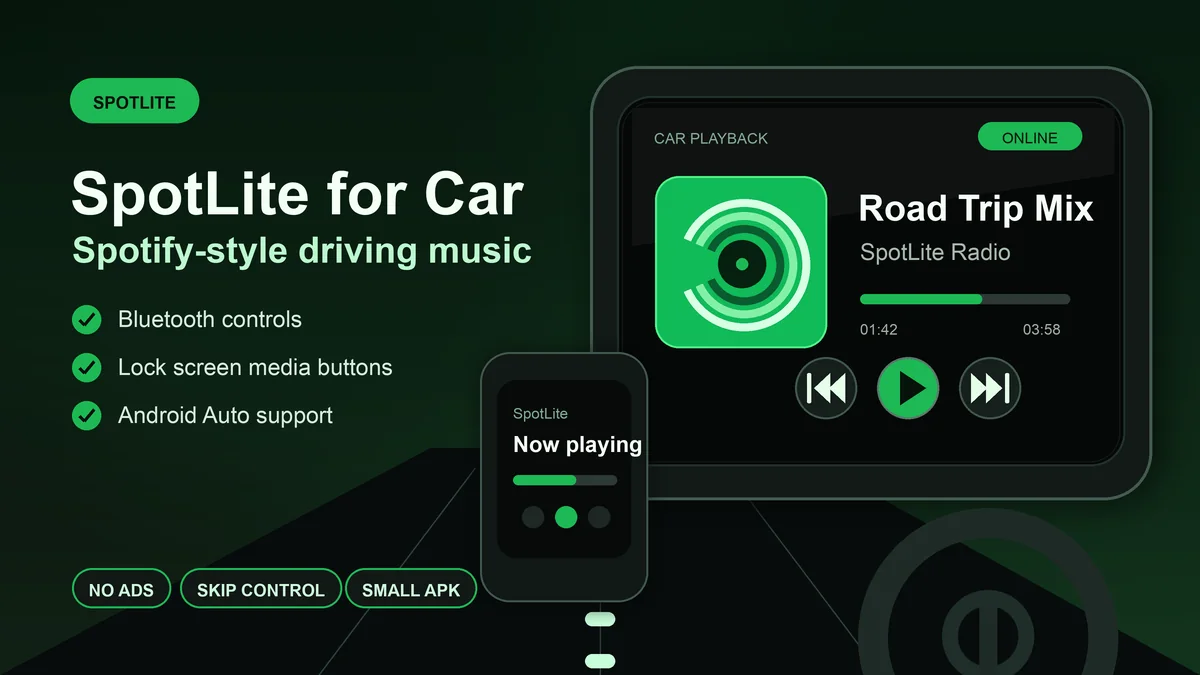
Want Spotify-style listening in the car without a heavy app? SpotLite is built for lightweight playback, Bluetooth controls, lock screen controls, and Android Auto support.
Download SpotLite - Car-Friendly Music APK
Music category · Android 10.0+ · Bluetooth controls · Android Auto support
When people search for Spotify Android Auto without Premium, the real problem is usually practical. They are in a car, they want music to start quickly, and they want simple playback control without fighting a heavy app, free-tier interruptions, login friction, or a phone that overheats on the dashboard.
SpotLite helps with that daily driving scenario. It is a lightweight Android client built around the Spotify Web Player experience, with native media controls layered on top. That makes it useful for Bluetooth car stereos, lock screen controls, notification controls, steering wheel media buttons, and supported Android Auto setups.
1
First, Be Clear: This Is Not a Magic Android Auto Bypass
▼
Android Auto is controlled by Google, your car head unit, your phone, your Android version, and the app category rules Android Auto applies. A third-party music APK cannot guarantee that every car screen, every car launcher, or every official Spotify feature will appear exactly like the certified Spotify app.
That is why the safer way to think about SpotLite is not "it replaces the official Android Auto app completely." The better description is: SpotLite gives you a lighter Spotify-style player with Android media controls that work well in real car listening situations.
Best fit: Bluetooth car stereo playback, lock screen controls, notification controls, steering wheel media buttons, and supported Android Auto music browsing where available.
2
Why Spotify Can Feel Annoying in the Car
▼
Driving is a different listening context. At home, you can tap around, search slowly, and dismiss pop-ups. In a car, the app needs to be fast, predictable, and easy to control without staring at the screen.
That is where the official mobile experience can feel heavy for some users. Free-tier ads break the rhythm of a drive. Skip limits can be frustrating when a playlist does not match the road. A crowded home screen makes it harder to resume music quickly. Older or low-storage phones may also struggle with large app updates and cache growth.
The goal is not to add more features. In the car, the better app is often the one that does less visual work and gives you reliable play, pause, next, previous, and resume control.
3
Where SpotLite Helps Most in the Car
▼
Bluetooth car stereo playback
For many drivers, the car is simply a Bluetooth speaker with buttons. Start SpotLite on your phone, connect to the car stereo, and use the car's media controls for play, pause, next, and previous when supported. This is the most common and reliable car setup.
Lock screen and notification controls
SpotLite exposes Android media controls, so you can control playback from the lock screen or notification shade. This matters when the phone is mounted for navigation and you do not want to open the full app just to pause a song.
Steering wheel and headset media buttons
Many cars pass steering wheel media buttons through Bluetooth. When Android receives those play/pause or next/previous events, SpotLite can respond through the standard media control path on supported devices.
A lighter app on older or low-storage phones
SpotLite is designed as a small APK, around 10 MB, and keeps the interface focused. That is useful when your phone is already running navigation, Bluetooth, mobile data, and screen brightness at the same time.
4
What About Android Auto Itself?
▼
SpotLite is built with Android Auto support, and its own app page highlights car-friendly use. On supported setups, that can mean browsing familiar music nodes such as Library, Recently Played, and Made For You, then controlling playback through the car interface.
Still, Android Auto compatibility can vary. Some car systems are strict about which apps appear, some phones handle sideloaded apps differently, and some Android Auto features depend on Google Play Services, Android version, and head unit behavior.
Practical expectation: treat Android Auto as a bonus when your setup supports it. Treat Bluetooth, lock screen, notification, and media button controls as the dependable core car use case.
5
SpotLite vs Official Spotify App in the Car
▼
The official Spotify app is still the right choice if you rely on fully certified Android Auto behavior, official account features, offline downloads, and the normal Spotify mobile experience. It is the safest app if you want every official integration exactly as Spotify ships it.
SpotLite is better when your driving needs are simpler and more practical: start music quickly, avoid free-tier interruptions, skip freely, keep the app small, and use Android media controls through Bluetooth, notification, lock screen, or supported Android Auto setups.
In other words, the official app is the complete official route. SpotLite is the lighter, more direct route for people who mostly want music playback to behave well while driving.
6
Simple Setup Tips for Car Listening
▼
- Open SpotLite before you start driving and choose the playlist, album, or queue you want.
- Connect your phone to the car through Bluetooth or Android Auto if your setup supports it.
- Test play, pause, next, and previous from the car controls while parked.
- Allow SpotLite to show media notifications so lock screen and notification controls are available.
- Keep a fallback playlist or app ready if your car head unit does not expose sideloaded apps inside Android Auto.
Safety note: do not browse, search, or configure music while driving. Set up playback before moving, then use only simple car, Bluetooth, lock screen, or voice controls on the road.
Quick Comparison
| Driving need |
Best choice |
Why |
| Fully certified Android Auto behavior |
Official Spotify app |
Best for official integration and account features |
| Bluetooth car stereo playback |
SpotLite |
Lightweight playback with Android media controls |
| Lock screen / notification controls |
SpotLite |
Quick play, pause, next, and previous without opening the app |
| Offline downloads for no-signal trips |
Official Spotify Premium |
Offline downloads require a real Premium account in the official app |
| Older Android 5.0+ phone |
Spotify Web APK |
Better compatibility if the phone cannot run SpotLite |
Verdict: SpotLite Is Best for Practical Car Listening
If you need the full official Android Auto experience, keep the official Spotify app. But if your real car setup is Bluetooth playback, lock screen controls, notification controls, media buttons, and a phone mounted for navigation, SpotLite is a strong lightweight option.
It is not about turning every car unit into a Premium Spotify dashboard. It is about making everyday Spotify-style listening lighter, cleaner, and easier to control while driving.
FAQ: Spotify Android Auto Without Premium and SpotLite
Does SpotLite work with Android Auto?
SpotLite is built with Android Auto support for practical car listening, but availability can still depend on your phone, car unit, Android version, and how Android Auto handles non-official music apps. It is most reliable for Bluetooth car playback, lock screen controls, notification controls, and media button control.
Can I use SpotLite in the car without Spotify Premium?
Yes. SpotLite is designed for Spotify-style listening without the usual mobile free-tier restrictions, so it can be useful in the car when you want ad-free playback, skip control, and a lighter Android app. It does not add offline downloads.
Does SpotLite support Bluetooth car controls?
SpotLite is designed to work with Android media controls, so Bluetooth play, pause, next, and previous controls can work through supported car stereos, headphones, lock screen controls, and notification controls.
Is SpotLite lighter than the official Spotify app?
Yes. SpotLite is designed as a small Android APK, around 10 MB, while the official Spotify app is much larger and can grow with cache and updates. Exact size varies by version and device.
Should I replace Spotify with SpotLite for driving?
Use SpotLite if your main driving need is lighter Spotify-style playback with Bluetooth, notification, lock screen, and media button controls. Keep the official Spotify app if you rely on offline downloads, official account features, or a fully certified Android Auto experience.
Related on MODDROID
Ready for lighter Spotify-style listening in the car? Download SpotLite on MODDROID.
Get SpotLite on MODDROID